FREE & OPEN SOURCE, MIT LICENSED

Your finances. Your machine.
Nobody else's business.

Track every dollar without sharing a single one. Havoro is a personal finance tracker that runs entirely on your hardware. No bank logins, no cloud, no subscription.

No bank connections No subscription No account required No telemetry Works offline
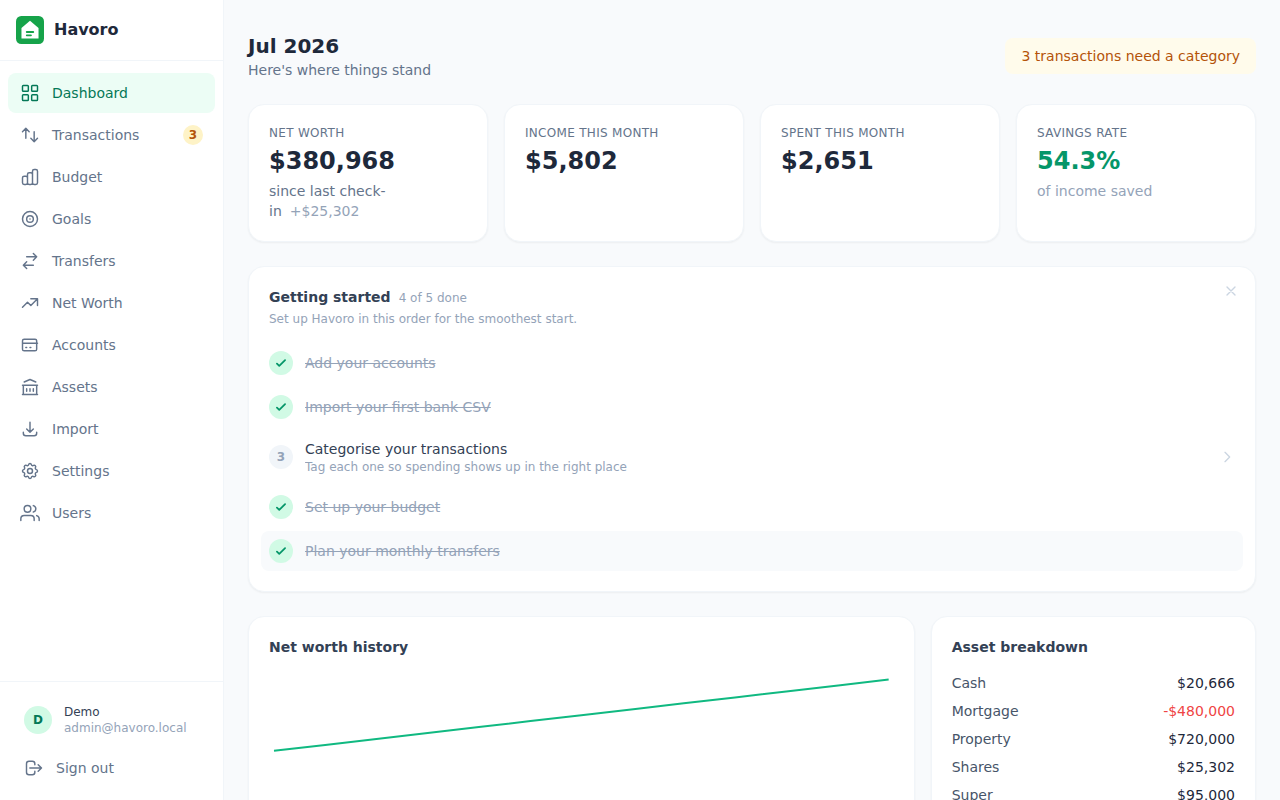
Havoro dashboard showing net worth, spending, and goals

Finance apps that need your bank login are asking too much.

Most budgeting apps require you to hand over your bank credentials or link via Open Banking. Havoro takes a different approach: you import a CSV export from your bank. That's it.

01

No bank connections

Your bank login never touches Havoro. Download a CSV from your bank's website and import it: the same file you could open in Excel. No OAuth, no screen scraping, no credentials stored anywhere.

02

Runs on your hardware

Install the desktop app on Windows or Linux. Your data lives in a SQLite file in your own home folder. It never leaves your machine unless you want it to.

03

Actually simple

No 40-screen setup wizard, no rules engine you need a manual to configure. Add an account, import a CSV, set a budget. If you've ever abandoned a budgeting app halfway through onboarding, that won't happen here.

04

No subscription, ever

Most budgeting apps charge $10-15 a month to help you save money, which never made sense to me. MIT licensed, with none of the usual catches: no freemium tier, no "pro" plan, no ads, no telemetry. It costs nothing because it isn't a business.

I looked for a budgeting app for months. Every option I found was either $10-15 a month (to help me save money, which never made sense) or free but so complicated I gave up before finishing the setup wizard. Havoro is the app I wished existed. It doesn't have a subscription, a bank login to hand over, or a bloated onboarding flow. Just track what comes in, what goes out, and what's left.

CHARLIE MANSELL, CREATOR OF HAVORO

Feature Havoro Mint / YNAB Spreadsheet
No bank login required Yes No Yes
Data stays on your hardware Yes No Yes
Free to use Yes Subscription Yes
Auto-categorise transactions Yes Yes No
Net worth tracking Yes Yes Manual
Accessible from your phone In the works Yes No
Works without internet Yes No Yes
Open source Yes No n/a

Everything you need to understand your money

Built around the things that matter: where your money is, where it's going, and whether you're on track.

01

Dashboard

Monthly snapshot: net worth, income vs expenses, savings rate, top spending categories, and active goals, all in one view.

02

Transactions

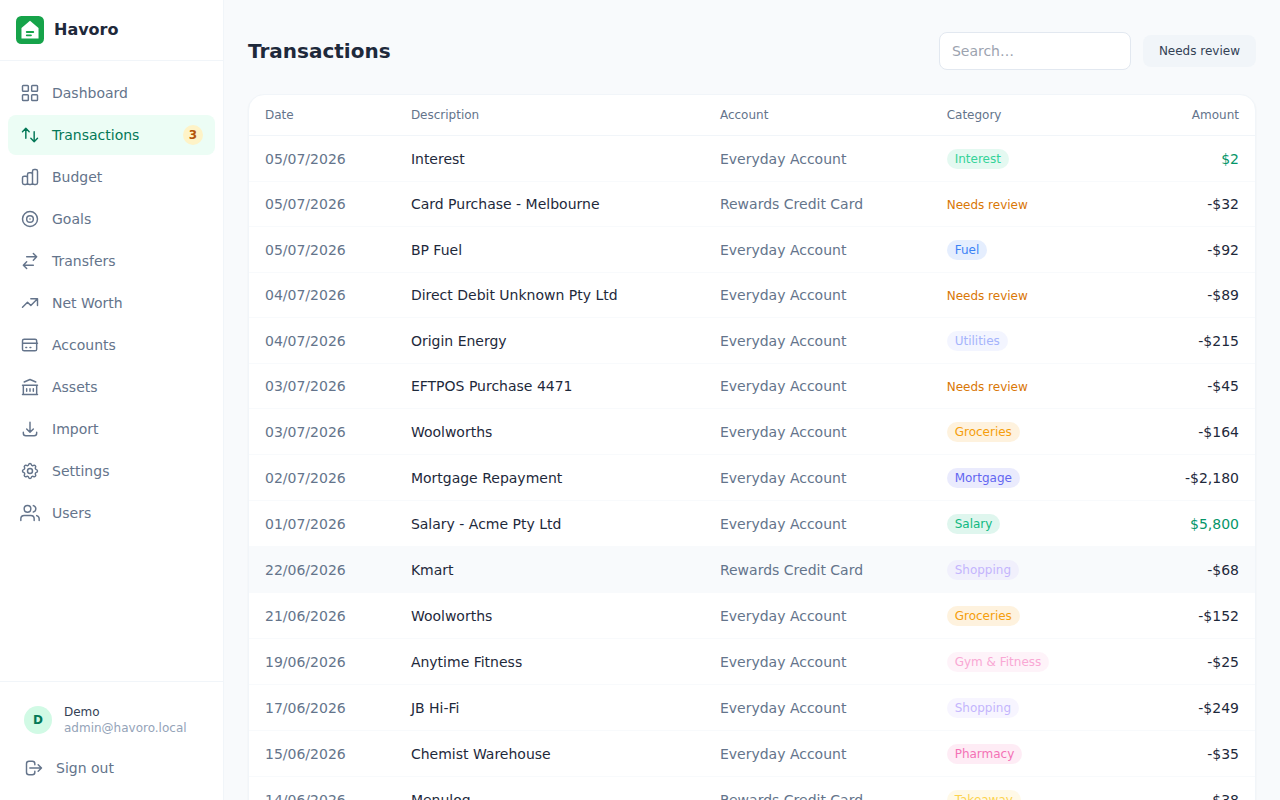
Import CSV exports from ANZ, NAB, Westpac, CommBank. Auto-categorise with keyword rules. Search, filter, and mark transfers.

03

Budget

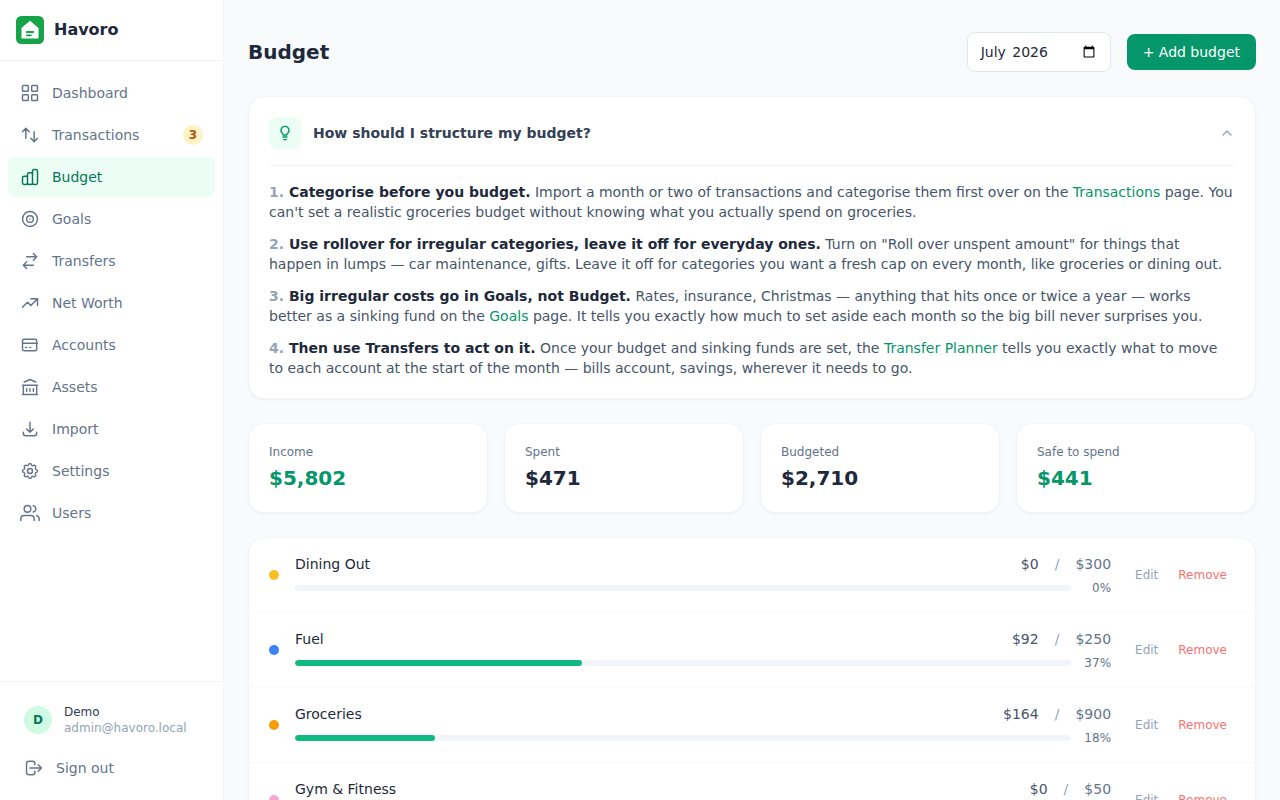
Set monthly category budgets and track your actuals in real time. Know exactly how much is safe to spend, today.

04

Goals & sinking funds

Track savings targets and irregular expense pots: holidays, car rego, Christmas. See the required monthly contribution.

05

Net worth

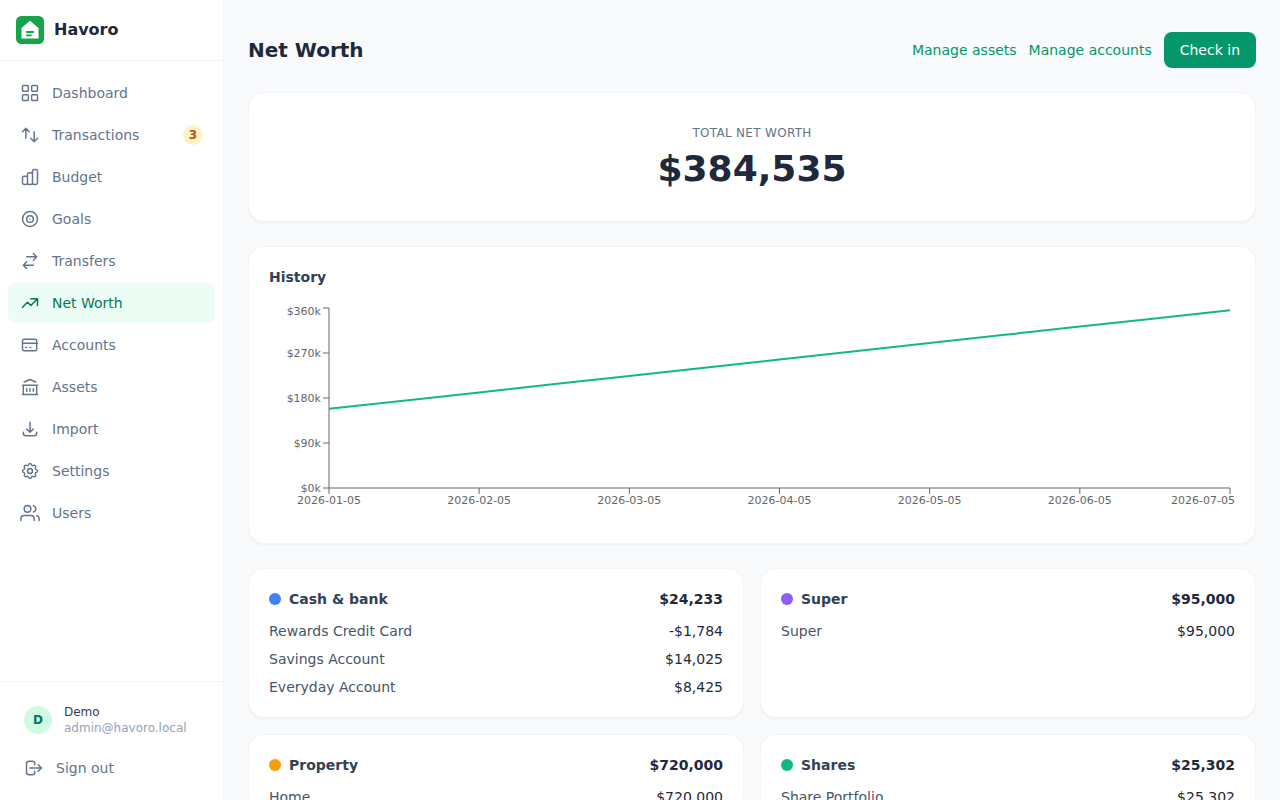
Full asset-class breakdown: cash, super, property, shares, and liabilities. Watch your trend month over month.

06

Transfer planner

Know exactly what to transfer at the start of each month: bills account top-up, savings, sinking funds, grouped by destination account.

07

Accounts & assets

Manage bank accounts, super, property, share portfolios, and loans. Property valuations, share prices, and balance projections built in.

08

iPhone app

A native iPhone app is in development, syncing with the desktop app directly over your home network. No cloud, no server to run. Coming soon

09

Automated backups

Nightly backups with 30-day retention. One-click restore from Settings. Your data is always protected.

See it in action

A clean, focused interface that gets out of your way.

Transactions view
Transactions: import, categorise, and search
Budget view
Budget: monthly actuals vs targets
Net worth view
Net worth: asset breakdown and trend
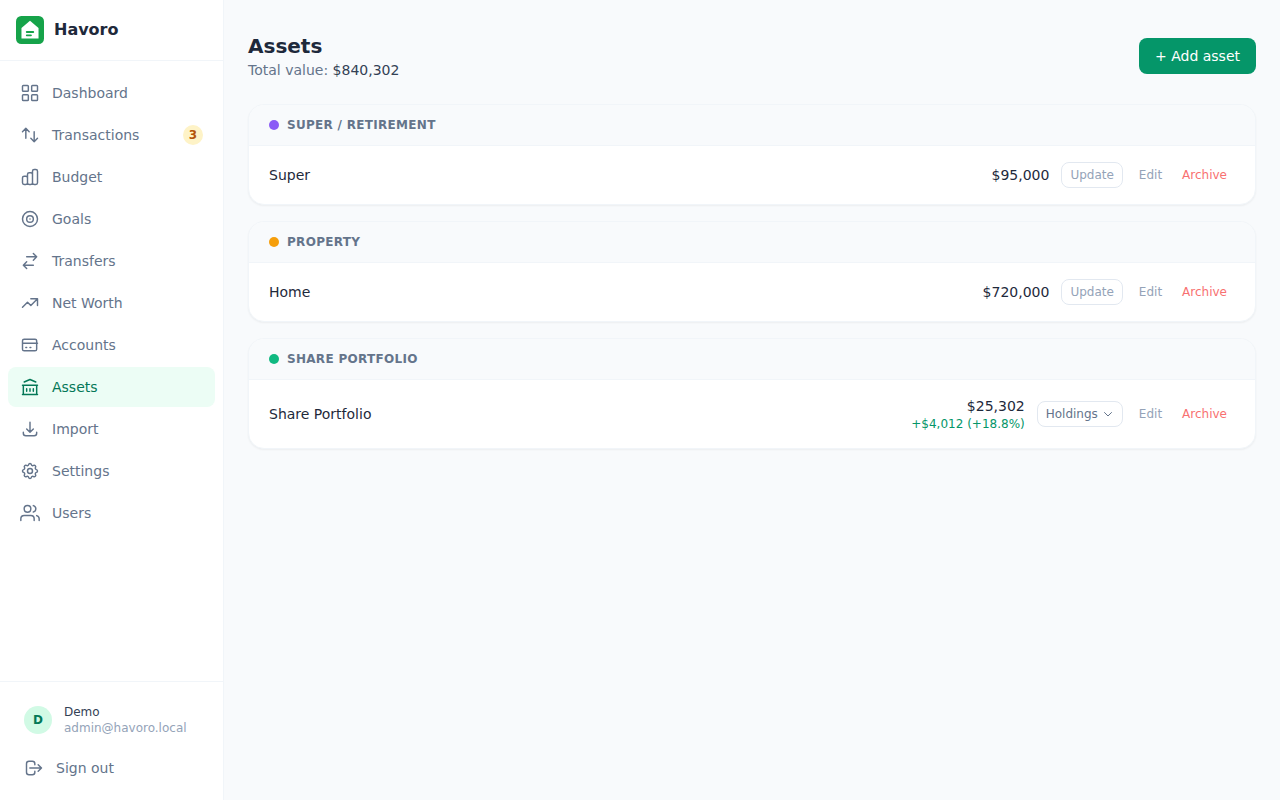
Assets view
Assets: property, shares, and super

Get Havoro

Once you're in, the User Guide shows how to set it up for the way you bank: credit card daily driver, debit-only, bills-account system, or shared finances.

DESKTOP APP

Windows / Linux

Download the installer and run Havoro like any other app. Your data is stored in your home folder. No Docker, no Node.js, no command line. Just double-click.

  • 1 Download the installer from the Releases page
  • 2 Run it. Windows may show a SmartScreen notice since the app is unsigned, so click "More info", then "Run anyway". This is normal for open-source software.
  • 3 Havoro opens in a window and sits in the system tray
Download latest release

Prefer to run your own server instead? Havoro also ships as a Docker image for anyone who wants to self-host or build on it — see the server setup docs in the repo.

Nothing hidden. All of it yours.

Havoro is MIT licensed. Read the source, audit the security model, fork it, build on it. The whole thing is on GitHub.

MIT License Source on GitHub SQLite: single file, no server Node.js + React + Electron

Havoro is free and always will be. If it saves you a subscription, you can buy me a coffee. Entirely optional; it funds nothing but gratitude.